Inline comments
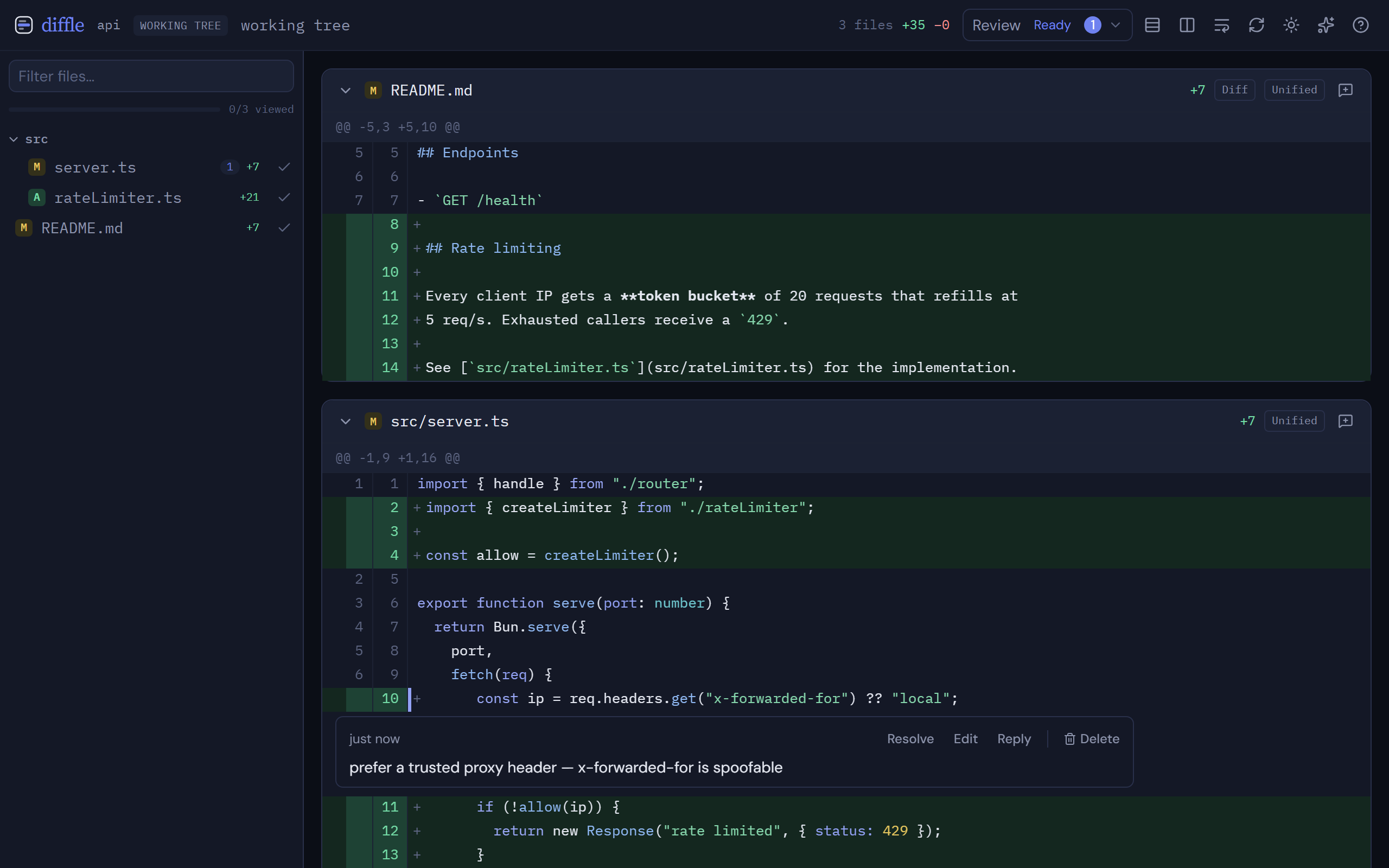
diffle lets you annotate a diff with inline comments while you review. Comments are the feedback you hand back to an agent — see Agent feedback.
Comment on a line
Section titled “Comment on a line”Hover a line to reveal its comment bubble, or click the line number, then type your note. The comment anchors to that line.
Optionally tag the comment as a nit, issue, question, or praise so the agent knows how to weigh it. Press Ctrl+Enter (⌘+Enter on macOS) to save, or Esc to discard the draft.
Comment on a range
Section titled “Comment on a range”To cover several lines, drag across the line numbers, or shift-click a second line number to extend the selection from the first. The comment anchors to the whole range.
File-level comments
Section titled “File-level comments”For feedback that isn’t tied to a specific line — an overall note on a file — add a file-level comment from the file header.
Replies and resolving
Section titled “Replies and resolving”Comments support threaded replies, so a discussion stays attached to its line.
Resolve a comment when it’s handled. Resolving keeps it on the record but drops it from returned feedback and from open-comment counts. Reopen a resolved comment any time.
Orphaned comments
Section titled “Orphaned comments”When a comment’s line or file leaves the current diff — because the code changed and you re-ran the diff — the comment isn’t lost. It stays saved but unanchored.
Preview Feedback gathers orphaned comments under a From earlier reviews section, where you can resolve or delete each one.
Durable Review Records
Section titled “Durable Review Records”Comments are saved to durable Review Records under the data directory. They survive restarts and re-runs, so you can close diffle, come back, and pick up your review where you left off.
Next steps
Section titled “Next steps”- Read and navigate the diff itself in Reviewing changes.
- Send your comments back to an agent with Agent feedback.